
A website accessibility audit that tells you exactly what to fix
Every accessibility project starts with a website accessibility audit: an honest, page-by-page check of how your website or web application works for people who use screen readers, keyboards, magnification and other assistive technology. The audit measures your site against WCAG 2.2 Level AA, the standard behind the ADA, Section 508 and most legal demand letters, and gives your team a prioritised list of barriers with the fix for each one. Whether you need an ADA website audit because a lawyer has written to you, or you simply want to know where you stand before a redesign, this is the starting point.
- Manual testing of every WCAG 2.2 A and AA success criterion, with automated scans used only as a first pass.
- Tested by a DHS Trusted Tester with JAWS, NVDA, VoiceOver and TalkBack, keyboard only, at 200% and 400% zoom, and with the Colour Contrast Analyser.
- Written report with screenshots, severity, WCAG references and plain-English fixes, plus a re-audit after your team makes the changes.
Since 2003 we have audited websites, web apps, mobile apps, PDFs and e-commerce stores on WordPress, Shopify, Magento, BigCommerce, Webflow and custom code, for clients in the USA, UK, Canada, Australia and India. Real examples are in our web accessibility case studies.
After the website accessibility audit you know which issues to fix first, by impact and severity. Our engineers can carry out the accessibility remediation for you, or guide your own developers in writing until every barrier is closed and verified.

Why now
Who needs a website accessibility audit right now
Four situations bring most of our US and international clients to us. If one of them sounds like you, a website accessibility audit is the first step and the fastest way to get a clear picture.
You received an ADA demand letter or lawsuit
Thousands of website accessibility lawsuits are filed in the USA every year under ADA Title III, most of them against ordinary business and e-commerce sites. An independent website accessibility audit shows your lawyer exactly which barriers exist, which claims are accurate, and what a credible remediation plan looks like.
You are a public body with a Title II deadline
The Department of Justice rule under ADA Title II requires state and local government websites, apps and documents to meet WCAG 2.1 AA, with deadlines in April 2026 and April 2027 depending on population. The same applies to public schools, colleges, libraries and transit agencies.
A buyer is asking for a VPAT or Section 508 conformance
Government and enterprise procurement teams ask vendors for an Accessibility Conformance Report before signing. Our website accessibility audit produces the evidence a VPAT accessibility report is built on, so the answers in it are true and defensible.
You sell to Europe, Canada or the UK
The European Accessibility Act has applied since June 2025 (EN 301 549), Ontario enforces the AODA, and the UK Equality Act covers websites. One audit against WCAG 2.2 AA covers all of these standards, because every one of them points back to WCAG.
Audit types
Types of website accessibility audits
Choose the depth that matches your situation. Each audit is a fixed, written scope: you know what is covered, what you receive and when, before we begin.
Micro audit
A quick expert check of one to three key pages, for example the home page, a product page and the checkout or contact form. It is the right first step if you are exploring accessibility, want a second opinion on an overlay widget, or need a fast, independent view before a redesign.
Detailed audit
A full audit of your unique page templates and user journeys: sign-up, search, checkout, forms, media, PDFs. Every WCAG 2.2 A and AA criterion is tested by hand with screen readers, keyboard, zoom and contrast tools, and every issue is documented with a screenshot, severity and fix.
Re-audit (verification)
After your team or ours has fixed the issues, we test the same pages again and confirm which barriers are closed. The re-audit is what makes an accessibility statement, an ACR or a VPAT trustworthy, and it is the document a lawyer or procurement officer wants to see.

How it works
How the audit works, step by step
Everything happens in writing, so you always have a record. No software to install, no meeting to schedule: send us the URL and we take it from there.
1. Scope and written quote
Tell us the site, the platform and why you need the website accessibility audit. Within one working day you receive a written scope: the pages and journeys we will test, the standard (WCAG 2.2 AA by default, or 2.1 AA for a Title II or older procurement requirement), the delivery date and the price.
2. Testing by hand
We run automated scans first, then test every page manually with JAWS, NVDA, VoiceOver and TalkBack, keyboard only, at 200% and 400% zoom, in Windows high-contrast mode and with the Colour Contrast Analyser. Automated tools find roughly a third of real barriers; the rest is found by a person.
3. Report and priority list
You receive the full report described below: a summary for management, page-by-page findings for developers, and a priority order based on how badly each issue blocks a real user. Your developers can start fixing on day one, and can ask us questions in writing at any time.
4. Fix, verify, declare
Fix the issues yourself, or hand the work to our remediation team. We then re-audit, confirm the result, and help you publish an honest accessibility statement or a VPAT that your legal and procurement teams can rely on.

What you get
What is in the accessibility audit report
The website accessibility audit report is written for two readers at once: a manager who needs the summary and a developer who needs the exact element, the WCAG criterion and the fix. You can read a real one below, and the projects it came from are in the case studies.
01
Audit summary
Total issues, how many are critical, the priority list and our overall recommendation, on one page for decision makers.
02
Detailed findings
Page-by-page findings, each with the failing element, the WCAG 2.2 success criterion, how a user is affected and the recommended fix.
03
Screenshots and screencasts
A screenshot of every issue, and short screen recordings where a screen reader or keyboard problem is easier to show than to describe.
04
Methodology
The tools, browsers, screen readers and techniques used, so the audit can be repeated and compared with the next one.
05
Prioritisation
Each issue rated by severity and scope: does it block a task completely, for how many people, and on how many pages.
06
Technical guidance
WCAG and WAI-ARIA techniques, code samples and links your developers can act on without an accessibility background.
07
Conformance status
A clear WCAG 2.2 A and AA checklist showing which criteria pass, fail or do not apply, ready to support an accessibility statement.
08
Automated scan reports
Formatted axe, WAVE and Lighthouse results, included so the automated and manual findings can be cross-checked.
09
Scope and limitations
What was tested, what was not, and any limits (for example a staging site or a third-party widget) that affected the results.
Test coverage
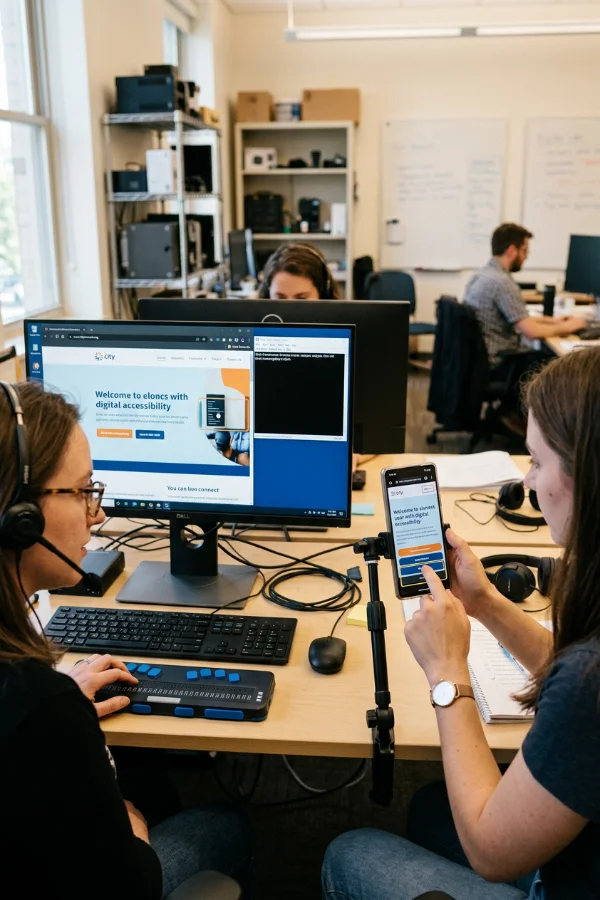
Testing environments
Desktop screen readers
- JAWS / Windows 11 / Chrome
- NVDA / Windows 11 / Firefox
- VoiceOver / macOS / Safari
Mobile screen readers
- TalkBack / Android / Chrome
- VoiceOver / iOS / Safari
Keyboard, zoom, contrast and tools
- Keyboard-only testing / Windows 11 / Chrome and Edge
- Browser zoom 200% and 400% / Windows 11 / Chrome and Edge
- Windows high-contrast (forced colours) mode
- Colour Contrast Analyser (TPGi)
- Automated scans: Deque axe, WAVE, Google Lighthouse
Standards
Standards we audit against
Every website accessibility audit is measured against WCAG, because every accessibility law and procurement rule points back to it. We report against the exact version and level your situation needs.
WCAG 2.2 and 2.1, Level AA
The W3C Web Content Accessibility Guidelines are the technical standard behind every law below. We audit against 2.2 AA by default and 2.1 AA where a rule or contract requires it.
ADA Title II and Title III
US courts treat inaccessible business websites as ADA Title III claims, and the DOJ Title II rule sets WCAG 2.1 AA for state and local government. Our findings are written so your counsel can use them directly.
Section 508 and VPAT / ACR
Section 508 applies to US federal agencies and their vendors. The audit gives the tested evidence behind an Accessibility Conformance Report, which we can prepare for you as a VPAT.
EN 301 549, EAA, AODA, Equality Act
The European Accessibility Act, the EN 301 549 standard, Ontario’s AODA and the UK Equality Act all rely on WCAG AA. One audit report covers them, with the mapping noted where a standard adds its own requirements.

Cost and timing
What a website accessibility audit costs
The price follows the number of unique page templates and user journeys, not the total page count. A 500-page site built from twelve templates costs about the same to audit as a 20-page site built from twelve templates, because the same code repeats.
- Micro audit, one to three pages. A fixed, low-cost starting point. Enough to answer how bad is it, or to check whether an overlay widget has really made the site compliant. In our experience it has not.
- Detailed audit, quoted after we look. Templates, forms and user journeys, any PDFs, videos or a mobile app, and whether you also need a re-audit and a VPAT.
- Quote inside one working day. Written and itemised, with the delivery date agreed before the work starts.
Our team is in Kolkata, so you get senior, certified testers at a rate that is usually well below a US agency for the same WCAG 2.2 AA depth. One honest warning about cheap automated audits and overlay widgets: a scanner can only test about a third of WCAG, and an overlay cannot fix broken code. That is why many companies still receive a demand letter after paying for compliance.
Not ready for a quote? Start with the free WCAG checklist PDF: all 55 criteria with how to check each one.

FAQ
Frequently asked questions
What is a website accessibility audit?
A website accessibility audit is a structured test of how well your website or web application meets a recognised accessibility standard, normally WCAG 2.2 Level AA. It combines automated scans with manual testing by a specialist using screen readers, a keyboard, zoom and contrast tools, and ends in a written report that lists every barrier, how serious it is, and how to fix it.
What is the difference between a Micro audit, a Detailed audit and a Re-audit?
A Micro audit checks one to three pages and is a quick, low-cost starting point. A Detailed audit covers all of your unique templates and user journeys against every WCAG 2.2 A and AA criterion. A Re-audit tests the same pages again after fixes and confirms which issues are closed, which is what an accessibility statement, ACR or VPAT should be based on.
How much does a website accessibility audit cost?
It depends on the number of unique page templates and user journeys, not the total number of pages, and on whether PDFs, videos or a mobile app are included. A Micro audit is a small fixed fee; a Detailed audit is quoted in writing within one working day after we look at your site. Send us the URL and we reply with an itemised quote and a delivery date.
How long does a website accessibility audit take?
A Micro audit is usually delivered within a few working days. A Detailed audit depends on the size of the site and the number of journeys; the delivery date is agreed in writing before we start, and you can begin fixing high-priority issues as soon as the first findings are shared.
Will the audit make my website ADA compliant?
The audit tells you exactly what stands between your site and WCAG 2.2 AA, which is the standard courts, the DOJ and procurement teams use. Compliance comes from fixing those issues, which our remediation service or your own developers can do, followed by a re-audit to verify the result and an honest accessibility statement.
Which standards, browsers and screen readers do you test against?
Every audit is measured against WCAG 2.2 Level A and AA (or 2.1 AA where required), which also covers the ADA, Section 508, EN 301 549 and AODA. We test with JAWS, NVDA, VoiceOver and TalkBack, keyboard only, at 200% and 400% zoom, in high-contrast mode and with the Colour Contrast Analyser, in Chrome, Edge, Firefox and Safari.
Do you need access to our website or code?
No. A website accessibility audit is done on the live or staging URL exactly as a visitor sees it. If parts of the site sit behind a login, a test account is enough. We never need hosting, code or admin access for the audit itself; for remediation we agree access separately, in writing.
Do we need to schedule a call?
No. Everything is handled in writing, from the quote to the final report and any follow-up questions from your developers, so you always have a record and can involve your legal or procurement team by simply forwarding the email. Most of our US clients prefer it this way.
Do you audit mobile apps, PDFs and web applications?
Yes. We audit iOS and Android apps with VoiceOver and TalkBack, PDF and Word documents against WCAG and PDF/UA, and complex web applications such as portals, LMS platforms and e-commerce checkouts. Examples are in the case studies.
What happens after the website accessibility audit is complete?
You receive the report and the priority list, and you decide who fixes the issues: your team, with our written guidance, or our engineers through the accessibility remediation service. After the fixes we re-audit, confirm the result, and can prepare a VPAT accessibility report where procurement needs one.