
Accessible login plugin for WordPress
A login screen that every user can use.
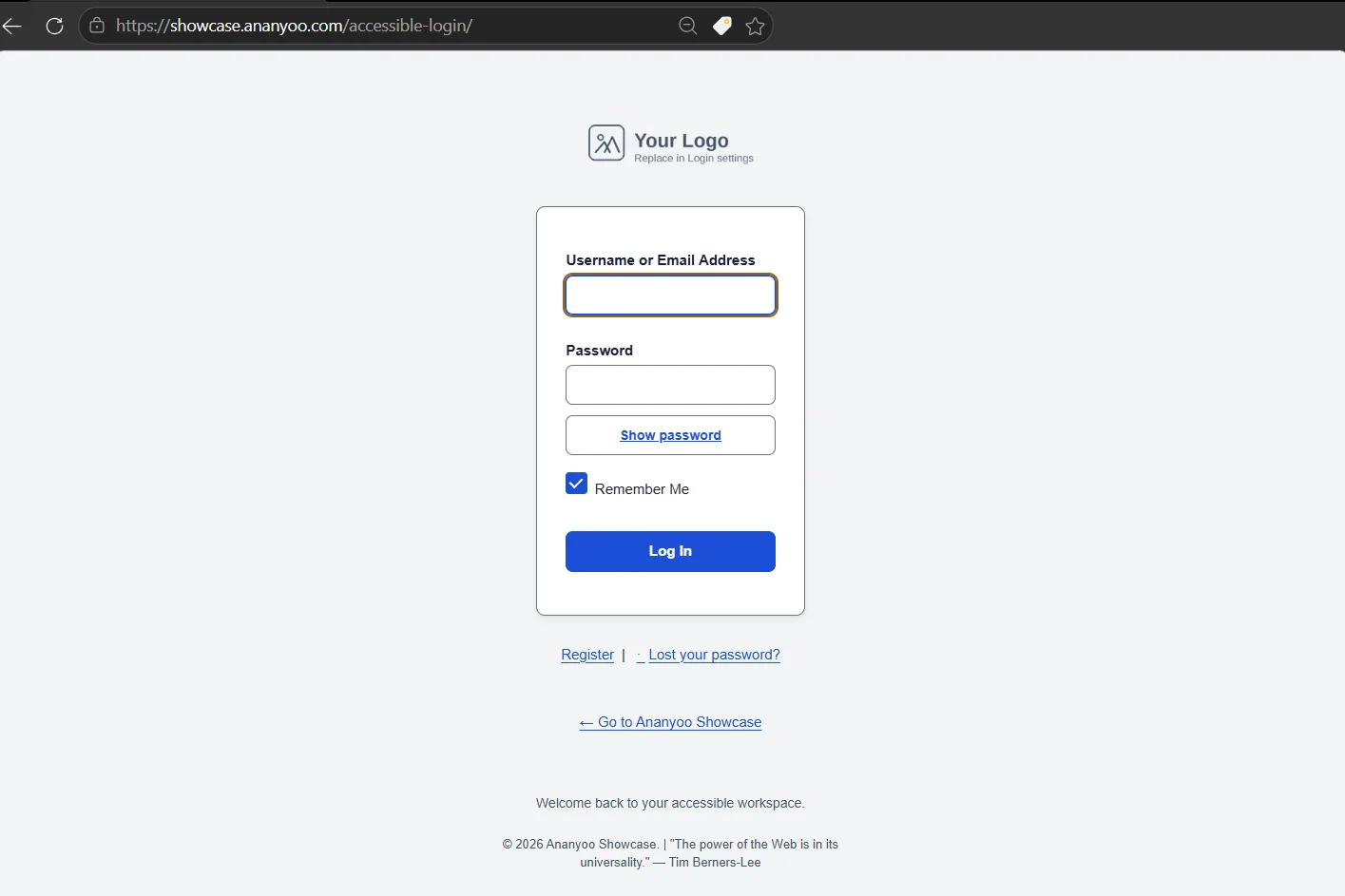
Accessible Login is a free accessible login plugin for WordPress that replaces the default wp-login.php with a fully WCAG 2.2 Level AA compliant, mobile-friendly login experience. Ten accessible colour palettes with a live contrast checker, an accessible password strength meter, and a front-end login block you can place anywhere. Custom backend URL. Built by an accessibility consultant.
WCAG 2.2
Level AA conformance
10
Accessible palettes
320px
Reflows cleanly
0
Third-party trackers
The problem
Many "custom login" plugins overlook accessibility.
Some override WordPress's default focus indicators with invisible ones. Some shrink button targets to please a designer, drop contrast below 3:1, break keyboard navigation, or use placeholder text instead of labels - and never test with a screen reader. The very first screen of your site can become inaccessible without anyone noticing.
Accessible Login is an accessible login plugin built to avoid exactly that.
10 hand-tuned palettes
Pick a palette in 60 seconds.
Every palette in this accessible login plugin is built to meet WCAG 2.2 AA contrast for text (4.5:1) and UI components (3:1) - and a built-in live contrast checker shows the result beside each colour as you fine-tune. Or design your own; the palettes are starting points, not jail cells.
Ananyoo Classic
Anblik Corporate
Calm Teal
Forest Green
Sunset Orange
Royal Purple
High Contrast Light
High Contrast Dark
Midnight
Rose Garden
Everything you need. Nothing you don't.
Built around three commitments. Every setting in this accessible login plugin serves one of them.
Accessibility
WCAG 2.2 AA, out of the box.
Sensible accessible defaults across colour, focus, target size and motion - so this accessible login plugin makes accessibility the starting point, not an afterthought.
Also includes
- 3 px visible focus ring, 2 px offset
- 44 × 44 px target size on every control
- 4.5:1 text contrast on every palette
- Live contrast checker beside every colour - WCAG pass/fail as you pick
- Accessible password strength meter - words, never colour alone
- Success confirmation screen & "Need help signing in?" drawer
- Accessibility health-check score in your dashboard
- Show / hide password toggle
- Caps Lock warning via ARIA live
- Reflows cleanly down to 320 px
- prefers-reduced-motion honored
- Forced-colors mode supported
- Login, registration, lost-password & reset - all four screens
Conforms to: WCAG 2.2 SC 1.4.3, 1.4.10, 2.4.13, 2.5.8, 3.3.7, 3.3.8
Customisation
10 accessible palettes.
Pick a starting point or build your own - the guardrails keep you safe, not boxed in.
Also includes
- 1-minute setup wizard - pick a palette on activation
- Per-color customisation via WP color picker
- Front-end login block &
[accessible_login]shortcode - WooCommerce My Account styling bridge (optional)
- Logo upload with dimensions, alt-text, link target
- 5 layout styles: centered, minimal, split-left, split-right, full background
- Background image, overlay, or CSS patterns (dots, grid, waves)
- Typography control (16 px minimum enforced)
- Structured layout controls (radius, padding, field height, focus width)
- Settings export / import via JSON
- Translation-ready - .pot file included
Security
No external calls. Ever.
No trackers, no third-party CDNs, no phone-home. What runs is what you installed.
Also includes
- Custom backend URL blocks bot scanners
- Compatible with reCAPTCHA, Cloudflare Turnstile & hCaptcha
- Enhances the genuine WordPress login (never replaced) - 2FA & security plugins keep working
- Reserved-word blocklist (no /admin, /login, etc.)
- Generic error messages - no username leaks
- WordPress nonces on every form
- Capability checks (
manage_options) - All input sanitised, all output escaped
- Clean uninstall - keep or remove all data, your choice
Default WordPress vs the Accessible Login plugin
How the Accessible Login plugin compares with the default WordPress login screen, grouped by what matters most to your users. Each cell opens with the verdict.
| Feature | Default WordPress | Accessible Login Recommended |
|---|---|---|
| Accessibility | ||
| WCAG 2.2 AA focus ringWCAG 2.4.7 | Partial Thin or dotted outline. | Passes 3 px ring with a 2 px offset on every control. |
| Show or hide passwordWCAG 2.5.8 | Partial Tiny target. | Passes 44 by 44 pixel target. |
| Caps Lock warning for screen readersWCAG 4.1.3 | Missing Nothing is announced. | Passes Announced through an ARIA live region. |
| Live contrast checkingWCAG 1.4.3 | Missing None. | Passes Built in, shown inline as you pick colours. |
| Password strength meterWCAG 1.4.1 | Partial Colour only. | Passes Words and a symbol, not colour alone. |
| Reflows at 320 pxWCAG 1.4.10 | Partial Partly. | Passes Tested at 320 px. |
| Forced colours and High Contrast modeWCAG 1.4.11 | Partial Inconsistent. | Passes Explicit support. |
| Reduced motionWCAG 2.3.3 | Partial Partly. | Passes Honoured. |
| Design and customisation | ||
| Logo upload | Missing CSS only. | Included Upload from the admin screen. |
| Custom colours | Missing None. | Included 10 palettes plus a colour picker. |
| Place the login form anywhere | Missing None. | Included Block and shortcode. |
| WooCommerce account styling | Missing None. | Included Styling bridge. |
| Settings export and import | Missing None. | Included JSON file. |
| Guided setup | Missing None. | Included One-minute wizard. |
| Security | ||
| Custom backend URL | Missing None. | Included Configurable slug. |
| Fully met | 0 of 15 | 15 of 15 |
Tested with the tools real accessibility audits use
Not "we ran AXE once." Tested with screen readers, on real devices, by an actual auditor. Every release of this accessible login plugin is checked the same way.
Frequently asked questions
Will it break my existing theme?
No. The plugin only customises the WordPress login, register, lost-password and reset screens (the screens at wp-login.php) - not your public theme.
What happens if I disable the plugin?
Deactivating restores the default WordPress login screen exactly as it was. Your settings are preserved so you can reactivate later. Whether deleting the plugin removes your stored settings depends on your preference - set under Advanced → "When the plugin is deleted". The default is "Keep all data" so accidental deletions don't wipe your customisations.
Can I really change the login URL?
Yes. On the Login URL & Security tab, set a custom slug (e.g. my-secret-door). With "Block direct access" enabled, the default /wp-login.php URL returns 404 for unauthenticated visitors, blocking the vast majority of automated brute-force scanners.
Can I add the login form to a normal page?
Yes. Besides the wp-login.php screen, you can place the same accessible form on any page or in a member area using the [accessible_login] shortcode or the "Accessible Login" block in the editor. It carries the same accessible colours, focus states and target sizes, and shows a signed-in state with a log-out link when the visitor is already logged in - so the accessible login plugin can power member areas and portals, not just wp-login.php.
Does it work with WooCommerce?
Yes. An optional WooCommerce styling bridge applies the same accessible colours, focus states and input sizes to the WooCommerce "My Account" login and registration forms, so shoppers get a consistent, accessible sign-in. The accessible login plugin only affects the WooCommerce account area, and the bridge can be switched off at any time.
Is the show/hide password toggle a security risk?
No. It only reveals the password the user themselves typed, in their own browser, after they explicitly click the toggle. WCAG 2.2 SC 3.3.8 recommends this exact pattern for accessible authentication.
Does it work with CAPTCHA plugins (reCAPTCHA, Turnstile, hCaptcha)?
Yes. The plugin enhances the genuine WordPress login through WordPress's own login hooks - it never replaces the login page - so third-party CAPTCHA plugins render and validate normally, even when you set a custom login URL. For the best accessibility, Cloudflare Turnstile or hCaptcha's accessible mode are generally friendlier to screen-reader and keyboard users than reCAPTCHA v2's checkbox. The choice is entirely yours.
Does it work in WordPress Multisite?
Yes. Each site has its own settings, including its own uninstall preference. On a network uninstall, each site's choice is respected independently.
How is this different from other custom-login plugins?
Unlike most options, this accessible login plugin is built with accessibility as the primary design goal rather than an afterthought - by an accessibility consultant. Defaults, palettes and options are chosen with WCAG 2.2 AA in mind, and the controls are bounded so common pitfalls (low contrast, hidden focus, tiny targets) are avoided by design.
Get started in 60 seconds.
This accessible login plugin is live on WordPress.org. Install it from Plugins → Add New, search "Ananyoo", activate, and walk through the 1-minute setup wizard. Your login is accessible. Accessible Login is part of our collection of WordPress accessibility plugins, and pairs perfectly with the WordPress ADA-compliance theme.
Now available on WordPress.org - free.
GPLv2 or later · Free forever · No registration required
WCAG 2.2 conformance shouldn't be optional.