
Available now
Our WordPress accessibility plugins
Live on WordPress.org
Accessible Carousel & Slider
Free · GPLv2 · Works with the latest WordPress and PHP
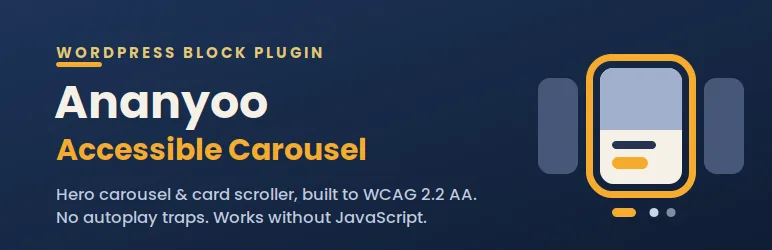
Accessibility-first Gutenberg blocks - a hero carousel / slider and a card scroller - built to WCAG AA, plus a WooCommerce Featured Products block that shows the products you mark as Featured inside either layout. Use it as an accessible carousel, slider, or slideshow with keyboard-operable controls, a visible pause/stop, no auto-advance by default, reduced-motion support, six designed patterns, and a readable fallback with JavaScript off.
The WooCommerce block adds on/off toggles for every part of a product card, a description-length control, colour options and a live WCAG contrast check right in the editor. Sensible accessible defaults make the quickest path to build the conformant one, and it stays a no-build, vanilla-JavaScript plugin, so the code you ship is the code that actually runs.
Live on WordPress.org
Accessible Events
Free · GPLv2 · Works with the latest WordPress and PHP
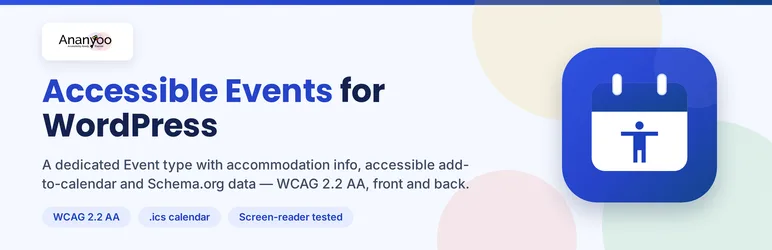
The first events plugin built around accessibility - a dedicated Events type with an "Accessibility at this event" panel that tells attendees exactly what each event provides: wheelchair access, live captions, sign language interpretation and more, each shown with its own icon. Visitors can even filter the events list by accommodation - a filter no other events plugin offers.
It also includes an accessible timeline: one shortcode that weaves your existing posts and events into a flowing vertical story, in five designs with your own colours. With an accessible add-to-calendar file, a subscribe feed, machine-readable dates with Schema.org, and a WCAG AA events grid - audited on the front-end and in the admin. No trackers, no external calls.
Live on WordPress.org
Accessible Login
Free · GPLv2 · Works with the latest WordPress and PHP
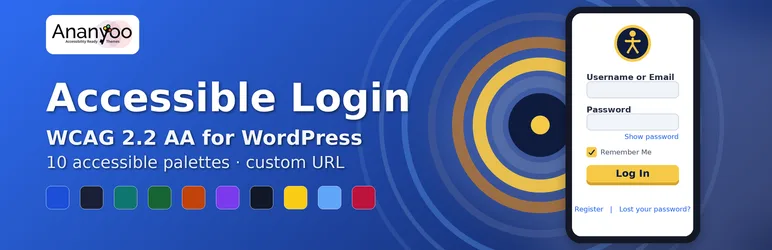
A complete replacement for the default WordPress login, lost-password and registration screens - fully WCAG AA compliant, mobile-friendly, with 10 hand-tuned accessible color palettes, custom backend URL, logo upload, and developer-friendly versioning.
It installs cleanly, inherits your branding, and never tracks users or phones home. Versioned releases and a clear changelog keep updates predictable for developers and agencies.
Live on WordPress.org
Accessible Forms
Free · GPLv2 · Works with the latest WordPress and PHP
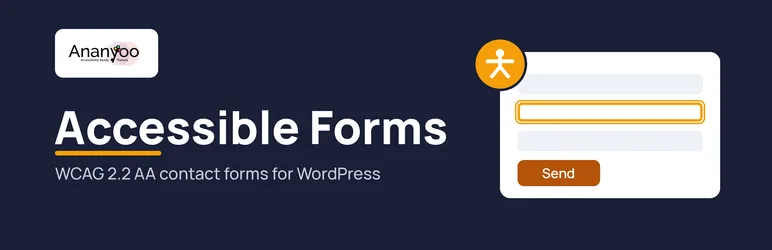
An accessibility-first contact form for the block editor - build forms that are WCAG AA compliant without hand-wiring any ARIA. Every field has a real label with fieldset and legend grouping, validation errors appear both in a focus-managed summary and inline beside each field, and entries are stored safely in your own WordPress database.
Spam is handled with a honeypot and timing check plus optional Cloudflare Turnstile - with no third-party scripts, tracking or phone-home. Drop a form in with the block or a shortcode, and the accessible defaults make the quickest build the conformant one.

Live on WordPress.org
Accessible Portfolio
Free · GPLv2 · Works with the latest WordPress and PHP
An accessibility-first way to showcase your work - a WCAG AA project grid with real alt text on every image, category filters that are real buttons and announce their results to screen readers, full keyboard support with a visible focus ring, and a layout that reflows to the smallest phone.
Items are stored in your own WordPress database, with no trackers and no external calls. Place it with the block or a shortcode, and the accessible defaults make the quickest build the conformant one.
Live on WordPress.org
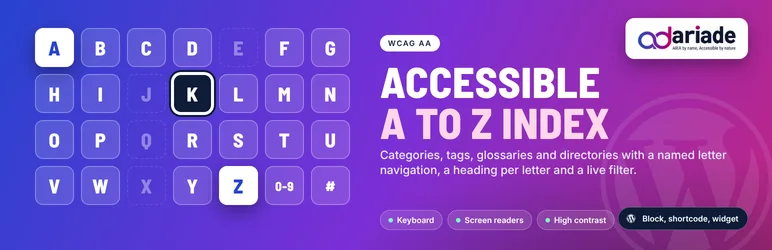
Accessible A to Z Index
Free · GPLv2 · Works with the latest WordPress and PHP
An accessible A to Z index of your categories, tags, any taxonomy or any post type - a brand index, a glossary, a staff directory, a sitemap people actually use. The letter bar is a named navigation landmark, every letter is a real heading, picking a letter moves keyboard focus to it, and empty letters stay visible but switched off.
A live filter narrows the list as visitors type, with the count announced and shown on screen. Previous and Next sit inside long letters, and every colour pair in Settings is checked for 4.5:1 contrast before it is saved. Block, shortcode and classic widget. No trackers, no external calls.
Compare
Which accessibility plugin do you need?
Each plugin fixes one component that we keep finding broken during a website accessibility audit. Use the table to see which one matches the problem on your site. They work independently, so you can install only the one you need.
| Plugin | Replaces | Key WCAG 2.2 criteria | Best for |
|---|---|---|---|
| Accessible Carousel & SliderLearn more about Accessible Carousel & Slider | Instead ofSlider Revolution, Smart Slider and the slider built into most premium themes. | 2.2.2 Pause, Stop, Hide2.1.1 Keyboard4.1.2 Name, Role, Value1.4.11 Non-text Contrast | Home page heroes, testimonial rotators and logo strips that must not trap or rush a visitor. |
| Accessible LoginLearn more about Accessible Login | Instead ofThe default wp-login screen and the login or registration widgets in page builders. | 1.3.1 Info and Relationships3.3.1 Error Identification3.3.2 Labels or Instructions2.4.7 Focus Visible | Membership sites, LMS platforms and client portals where every visitor must sign in. |
| Accessible FormsLearn more about Accessible Forms | Instead ofContact Form 7 and other contact plugins that ship without labels or announced errors. | 1.3.1 Info and Relationships3.3.1 Error Identification3.3.2 Labels or Instructions4.1.3 Status Messages | Contact, enquiry and support forms, with every entry stored in your own database. |
| Accessible PortfolioLearn more about Accessible Portfolio | Instead ofPortfolio, case study and project grid widgets bundled with page builders. | 1.3.1 Info and Relationships2.4.4 Link Purpose1.1.1 Non-text Content2.1.1 Keyboard | Case studies, project galleries and work archives that need filters a keyboard can use. |
| Accessible EventsLearn more about Accessible Events | Instead ofHeavy event calendar plugins whose grid view is unusable with a screen reader. | 1.3.1 Info and Relationships2.4.6 Headings and Labels1.4.10 Reflow2.1.1 Keyboard | Workshops, webinars and community calendars on small sites that do not need ticketing. |
| Accessible A to Z IndexLearn more about Accessible A to Z Index | Instead ofTag clouds nobody can read, hand-made sitemap pages, and index plugins that hide entries behind JavaScript. | 2.4.1 Bypass Blocks2.4.6 Headings and Labels4.1.3 Status Messages1.4.3 Contrast | Blogs with many categories, shops with brand lists, glossaries, directories and government service indexes. |
All six plugins are free, GPL licensed and reviewed by the WordPress.org plugin team. Every release is tested by hand with JAWS, NVDA, VoiceOver and TalkBack, keyboard only, at 200% and 400% zoom, and with the Colour Contrast Analyser before it is published.