
Accessible WordPress Theme
WordPress Accessibility & ADA Compliance Theme
Ariade is a free WordPress theme built to WCAG 2.2 AA in the code, not bolted on with an overlay, and listed as Accessibility Ready on WordPress.org. Every page is tested by hand with JAWS, NVDA, VoiceOver and TalkBack, so WordPress accessibility is real for your visitors and WordPress ADA compliance starts from a theme that already passes.
On this pageJump to any part of this page8 sections
Ariade at a glance

Accessibility tour
Take a look inside
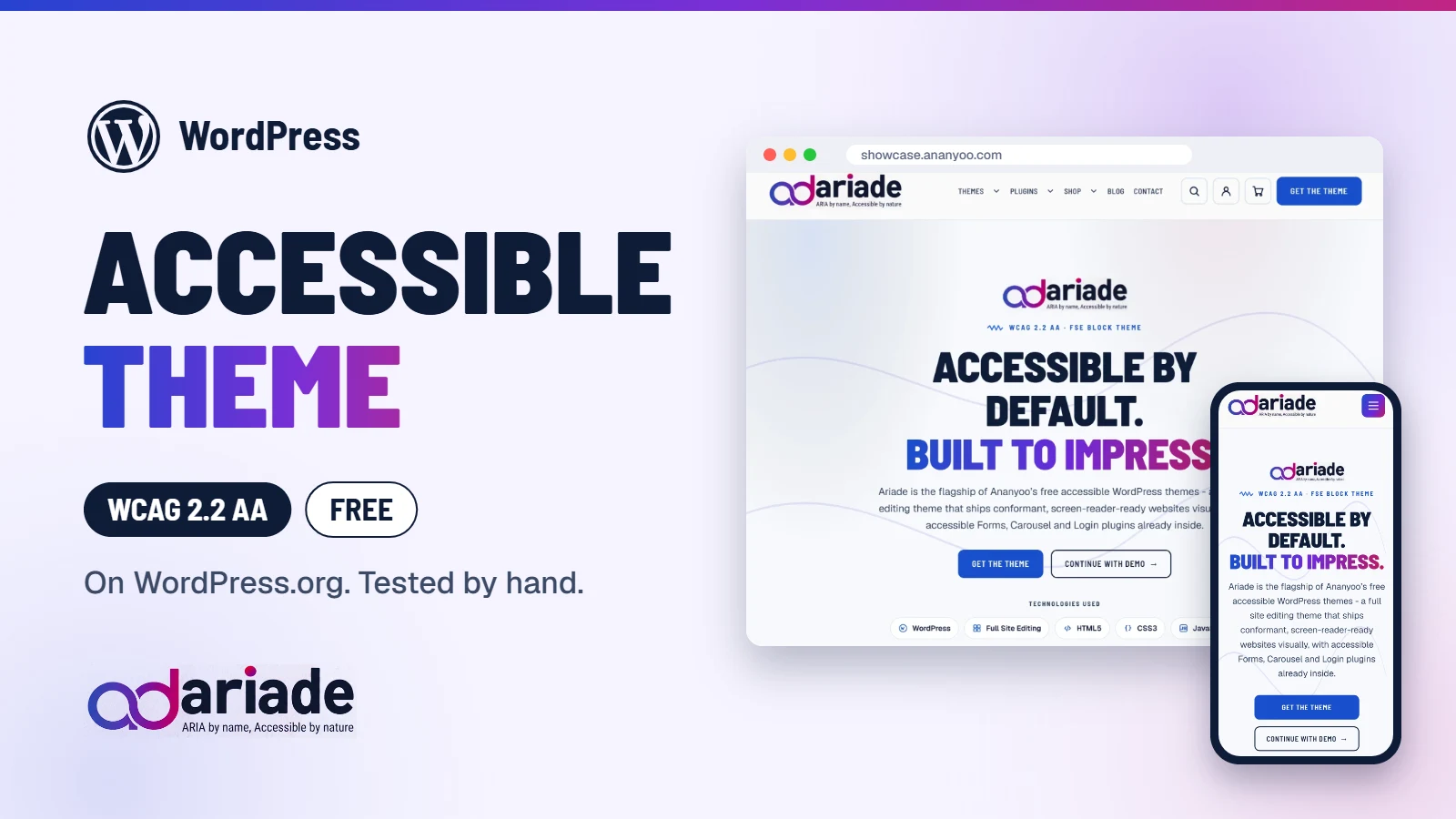
What each page does for keyboard, screen reader and low-vision visitors. Pick a page, read its accessibility points, then try it live on the showcase.
Accessibility
- A Skip to content link is the first thing the keyboard reaches
- Drop-down menus open with Enter, Space or the arrow keys, and Escape closes them
- Hero text keeps solid contrast on top of any background image
- One H1, then headings in order, so screen reader users can scan the page

Accessibility
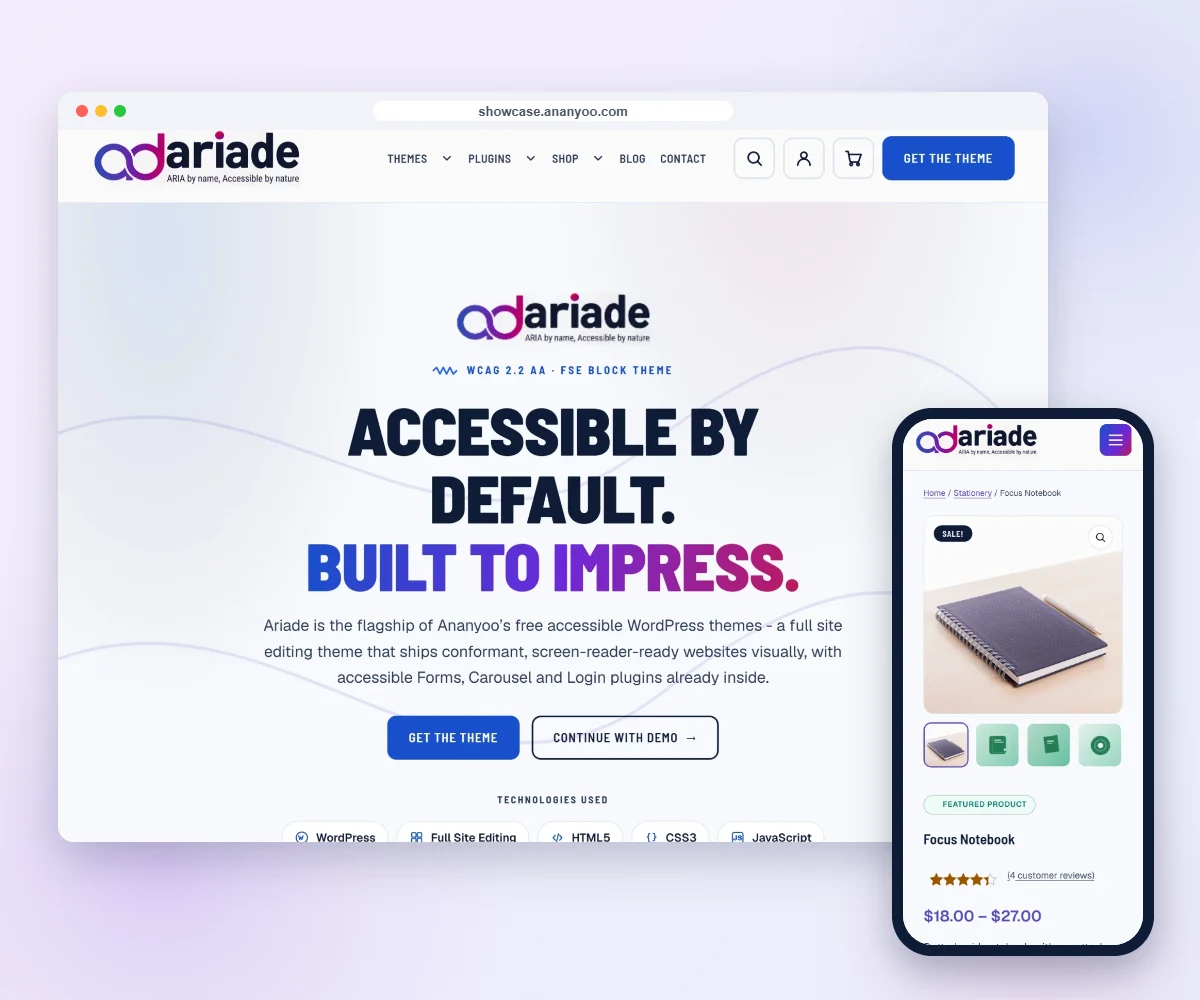
- Price, colour, size and rating filters are real form controls with visible labels
- Grid and list view buttons tell screen readers which view is on
- Every Add to cart button names its product, such as “Add Focus Notebook to your cart”
- “View more” buttons say whether the extra options are open or closed

Accessibility
- Pick a colour with big, named buttons that say which one is selected
- Star ratings are read out in words, such as “Rated 4.25 out of 5”
- The quantity field has a proper label
- Product details, reviews and related products sit under clear headings

Accessibility
- The category filter is a labelled drop-down
- One link per post title, so screen readers do not hear the same link twice
- Category and tag pills sit under the picture, never over it
- Grid and list views show the same details, and pagination is a labelled navigation

Accessibility
- Every event says what it provides: wheelchair access, live captions, sign language and more
- Visitors can filter the list to the accommodation they need
- Add to calendar works by keyboard and screen reader
- Event details are shared with search engines as structured data

Accessibility
- Every field has a real label; radio and checkbox groups use fieldset and legend
- Errors are listed in a summary and beside each field, in words, not colour alone
- Your answers stay in place when an error shows, so there is no retyping
- Success and error messages are announced to screen readers

Accessibility
- Sign in, registration and lost password screens are all accessible
- Keyboard-first, with a real show / hide password button
- Ten colour palettes, each one checked for contrast

Accessibility
- Case studies with categories, tags, client and completion date
- Filter by category with a normal Apply button, so nothing moves while you choose
- Switch between grid and list view by keyboard

Accessibility
- A Skip carousel link lets keyboard users jump past it
- Left and Right Arrow change slides; Home and End go to the first and last
- Space pauses or plays autoplay, and focus is always visible

Accessibility
- Pick a letter to jump straight to it, or type to filter the list
- Letters with no entries stay in place but are switched off, so the alphabet never jumps around
- Each letter says how many entries it has, such as “B, no entries”

Accessibility
- Every page, post, product and case study on one page
- Built automatically, so it never goes out of date
- Grouped under headings with item counts, easy to move through by screen reader


The package
What you get
What is built into Ariade, and how it is tested.
What is included in Ariade
Ariade is a free, accessible WordPress block theme: already built, externally audited and listed as Accessibility Ready on WordPress.org. Install it from Appearance, Themes, then add your own logo, colours and content in the Site Editor, with no code. This is what is included.
- Built to WCAG 2.2 AA in the code, not with an overlay
- Listed as Accessibility Ready on WordPress.org
- Full site editing: change the header, footer and every template in the Site Editor
- Ready-made block patterns for pages, sections and calls to action
- Accessible header, drop-down menu and mobile drawer, with the free Ariade Header and Menu plugin
- WooCommerce shop, product, cart and checkout pages, styled and tested
- Works with our free accessible plugins for forms, events, login, portfolio, carousel and an A to Z index
- Tested by hand with JAWS, NVDA, VoiceOver and TalkBack
- Keyboard-only testing, and zoom testing at 200% and 400%
- Automated scans with Deque AXE, WebAIM Wave and Google Lighthouse
- Externally audited (October 2026): every finding fixed and re-tested
- Free and 100% GPL, with support from the team that built it, with replies within 2 working days
Accessibility standards we follow: WordPress, Shopify, BigCommerce and Webflow accessibility coding standards.
Accessibility Health Score
The accessibility health score indicates how well a page meets the tested accessibility rules, on a scale of 0-100. Because automated scans catch only 25-30% of potential issues, every release is also audited by hand.
Google Lighthouse
Lighthouse is Google's open-source tool for automated website audits - performance, PWA, accessibility, best practices and SEO. Our themes pass its accessibility audit with a near-perfect score.
WebAIM Wave
WAVE, by WebAIM.org, gives visual feedback on accessibility by injecting icons and indicators into the page. Our themes return no WAVE errors or contrast failures.
Deque AXE-Core
AXE-Core, by Deque, is an industry-standard automated accessibility testing engine. Our themes return a clean AXE run with no violations.
Manual Audit
Automated tools catch only a fraction of real barriers, so every release gets a full manual audit with JAWS, NVDA, VoiceOver and TalkBack to confirm genuine WCAG 2.2 AA conformance.
Proven work
WordPress accessibility case studies
Every project below runs on our Ariade accessible WordPress theme and was delivered by our WordPress accessibility consultancy. Real sites, real screen reader testing, and a written record of what changed.
S Harish Chandan: A SEBI Research Analyst Website, Born Accessible
Not an audit this time - a complete accessible WordPress website designed and built from scratch…
View case study: S Harish Chandan: A SEBI Research Analyst Website, Born Accessible
Anandodhara: A Fully Accessible Bengali Cultural Hub, Built from Scratch
Not an audit this time - a complete accessible WordPress website designed and built from scratch…
View case study: Anandodhara: A Fully Accessible Bengali Cultural Hub, Built from Scratch
Cenersk Accessibility Audit
CENERS-K, the Kolkata think-tank, taken to WCAG 2.2 Level AA. Tested by hand with JAWS, NVDA,…
View case study: Cenersk Accessibility Audit
Trinetra Technologies
Trinetra Technologies, a drone and surveillance firm, taken to WCAG 2.2 AA. Tested by hand with…
View case study: Trinetra Technologies
KindHealth Florida Accessibility Audit
This KindHealth Florida accessibility audit and WCAG 2.1 AA remediation covered the website of a United…
View case study: KindHealth Florida Accessibility Audit
Marion County Oregon Health & Human Services Accessibility Audit
This Marion County Oregon Health & Human Services accessibility audit and WCAG 2.1 AA remediation covered…
View case study: Marion County Oregon Health & Human Services Accessibility Audit

Before you buy
Proof and answers
The questions site owners ask us most.
FAQ
WordPress accessibility - frequently asked questions
Is Ariade really free?
Yes. Ariade is free on WordPress.org under the GPL licence, and so is the Ariade Header and Menu plugin. Use it on as many sites as you like, for yourself or for your clients.
Will an accessibility overlay or widget make my WordPress site compliant?
No. A toolbar that changes font size and colours does not turn a div into a button, label a form field, manage focus in your pop-up or write meaningful alternative text. Overlays are one reason many sites still receive demand letters after paying for “compliance”. Real accessibility is in the theme and plugin code, which is where Ariade does it.
Does Ariade work with WooCommerce?
Yes. The shop, product, cart, checkout and account pages are styled and tested with the same care as the rest of the theme. Try them on the showcase before you install.
Can I switch to Ariade without losing my content?
Your posts, pages and media stay in WordPress when you change theme. What changes is the design: widgets and page-builder layouts made for your old theme need to be rebuilt with blocks. If you would rather keep your current theme, we can fix that one instead.
Does Ariade make my whole site accessible?
It gives you an accessible starting point: templates, header, menus and colours that already pass. What you add still matters, such as image descriptions, clear link text, headings in order and the plugins you install. If you want certainty, a website accessibility audit checks the full site.
What do I receive if you build or fix my site?
A written audit report with screenshots, severity, WCAG 2.2 references and the fix for every issue; the remediated theme and plugin code; a re-test after the changes; an honest accessibility statement for your footer; and a VPAT where a buyer asks for one.
Already using Ariade
Documentation and support
Everything you need after you install Ariade: the setup steps, what each setting does, the header and menu guide, and a direct line to the team that built the theme. We reply within 2 working days, Monday to Saturday, 9 am to 9 pm India Standard Time (IST).
Theme documentation
Self-help first
Every setting, step by step.
Plain-language guides for site owners: how to install, what each setting does, and how to set up the header and menu. They are right below.
Free downloads
Finish your Ariade site in two steps
Start with the theme. Ariade is free on WordPress.org, the official WordPress theme directory. In your WordPress dashboard, go to Appearance, Themes, Add New Theme and search for Ariade, or get it from WordPress.org.
The theme gives you the design. These two free plugins finish the setup, and both are written and maintained by us. Install them in this order - it takes about two minutes.
Ariade Header and Menu - header, menu and sitemap
WordPress theme rules do not let a theme carry its own blocks, so these live in a small plugin instead: the accessible drop-down menu header, the header actions, the auto-populated sitemap and LinkedIn-friendly link previews. Keep it active - your header needs it. Install it free from Plugins → Add New (search for “Ariade Header and Menu”) or from WordPress.org. The Ariade header switches on by itself as soon as the plugin is active.
Ariade Demo - one-click demo content
Fills a fresh site with the whole demo: home page as the front page, the full page set, the primary menu, a blog with sample posts, the twelve accessible events, the plugin demo pages, WooCommerce demo products with photographs, the logo and the site icon. Run it once from Appearance → Ariade Demo. The content is written into your database, so you can remove the plugin afterwards if you prefer a lighter install.
Installation: For each plugin, go to Plugins → Add New → Upload Plugin in your WordPress admin, choose the zip and activate it. Both are GPL licensed and free. The demo import never overwrites a logo, site icon or permalink structure you have already chosen.
Settings help
Ariade Companion settings: what each one does
These settings come with the free Ariade Header and Menu plugin. Open them from Appearance → Ariade Companion, or the Settings link on the plugin's row in Plugins. Both open the Ariade theme dashboard at the Ariade Companion card. With a theme other than Ariade, they are under Settings → Ariade Header and Menu. Every option is on by default, so untick only what a particular site needs off, then press Save once.
Valid HTML
Small corrections that keep every page clean in the W3C validator.
- One title tag per page. When Rank Math, Yoast, All in One SEO or SEOPress prints the page title, WordPress no longer prints a second one.
- No "auto" in image sizes. Stops WordPress adding an "auto" value to image sizes, which turns into invalid HTML once a speed plugin removes lazy loading.
- Style code moved from the body into the head. Some plugins print style elements inside the body, and the validator reports each one.
- Nothing between the head and the body. Some hosting speed layers add an element there, which makes the validator stop reading the page.
Performance
Speed improvements that never change keyboard or screen reader behaviour.
Remove what WordPress loads but your site does not use
- Emoji script and styles. Modern browsers show emoji on their own. Saves one script and one style on every page.
- jQuery Migrate. Only old plugins need it. If a plugin stops working, untick this first.
- Dashicons for visitors. The admin icon font still loads for logged-in users.
- RSD, Windows Live Writer, shortlink and generator tags. A cleaner head with fewer requests. Feeds and embeds keep working.
Load Ariade's own files faster
- Minified theme CSS and JavaScript. Compressed copies are made once in the uploads folder and made again when the theme updates. Untick while debugging.
- Defer theme JavaScript. Scripts run after the page is drawn. The menu, skip link and focus handling work as before.
- Preload the featured image. On single posts and products. Improves Largest Contentful Paint, and the featured image is never lazy loaded.
Left out on purpose: combining other plugins' files, and delaying all JavaScript until the visitor scrolls or clicks. Both raise speed scores, but they break the page for keyboard and screen reader users on their first visit.
Header help
Header and menu guide
The Ariade header, drop-down menu and mobile drawer come from the free Ariade Header and Menu plugin. Set them up in this order.
- Activate the plugin. The Ariade header switches on by itself. There is no block to add.
- Add your menu. Go to Appearance → Menus, create a menu and tick the Primary location. Drag an item slightly to the right, under another item, to make a drop-down. Until a menu is assigned, the header lists your published top-level pages.
- Add your logo. Go to Appearance → Customize → Site Identity. The site name and tagline come from Settings → General.
- Set brand, colours and buttons. Go to Appearance → Editor, open the Header template part and select the Ariade Site Header block. Its settings are in the right sidebar:
- Menu: shows which menu is in use, with links to edit or change it.
- Brand: logo only, logo with site name and tagline, site name and tagline only, or automatic. For a dark header, show the logo in white or choose a separate logo for dark backgrounds.
- Colours: header background, menu links, button, hover and focus, current page and drop-down. Leave a colour empty to keep the theme colour. Hover and the current page also get an underline, so they never depend on colour alone.
- Mobile menu colours: background, text and accent. The mobile menu button uses the header button colours.
- Header buttons: show or hide the account icon, the cart icon and the header button, and set the button text and link. A blank link goes to your Contact page.
- Text: capital letters in the menu and buttons, on by default. Untick to show the text exactly as typed.
- Check the contrast. When you change colours, keep text at 4.5:1 and icons at 3:1 against their background (WCAG 1.4.3 and 1.4.11).
- Change not showing? If the Header was edited in the Site Editor before, WordPress keeps its own saved copy. Reset the Header template part to the theme version from its options menu, and the latest header loads.
Keyboard behaviour, for testers: Tab reaches every menu item and header button. A drop-down opens with Enter, Space or the Down Arrow key. Up and Down Arrow, Home and End move inside it, and Escape closes it and returns focus to its button. The mobile drawer keeps focus inside while it is open, and Escape closes it.
Licence
100% GPL: free to use, change and share
Ariade WordPress Theme, Copyright 2026 Shivaji Mitra (M/S. Anblik). Ariade is distributed under the terms of the GNU GPL v2 or later. The same licence covers the Ariade child theme, the Ariade Header and Menu and Ariade Demo plugins and every Ananyoo accessibility plugin. All of them are free, with no pro version, licence key or paid add-on. Use them on any number of sites, including client sites, change the code and share it.
The bundled fonts, Barlow Semi Condensed and Geist, are under the SIL Open Font License 1.1, and the bundled images are the theme author's own work, released under CC0-1.0 / GPL-2.0-or-later. The full statement, including what the licence lets you do, is on our Licensing page.