

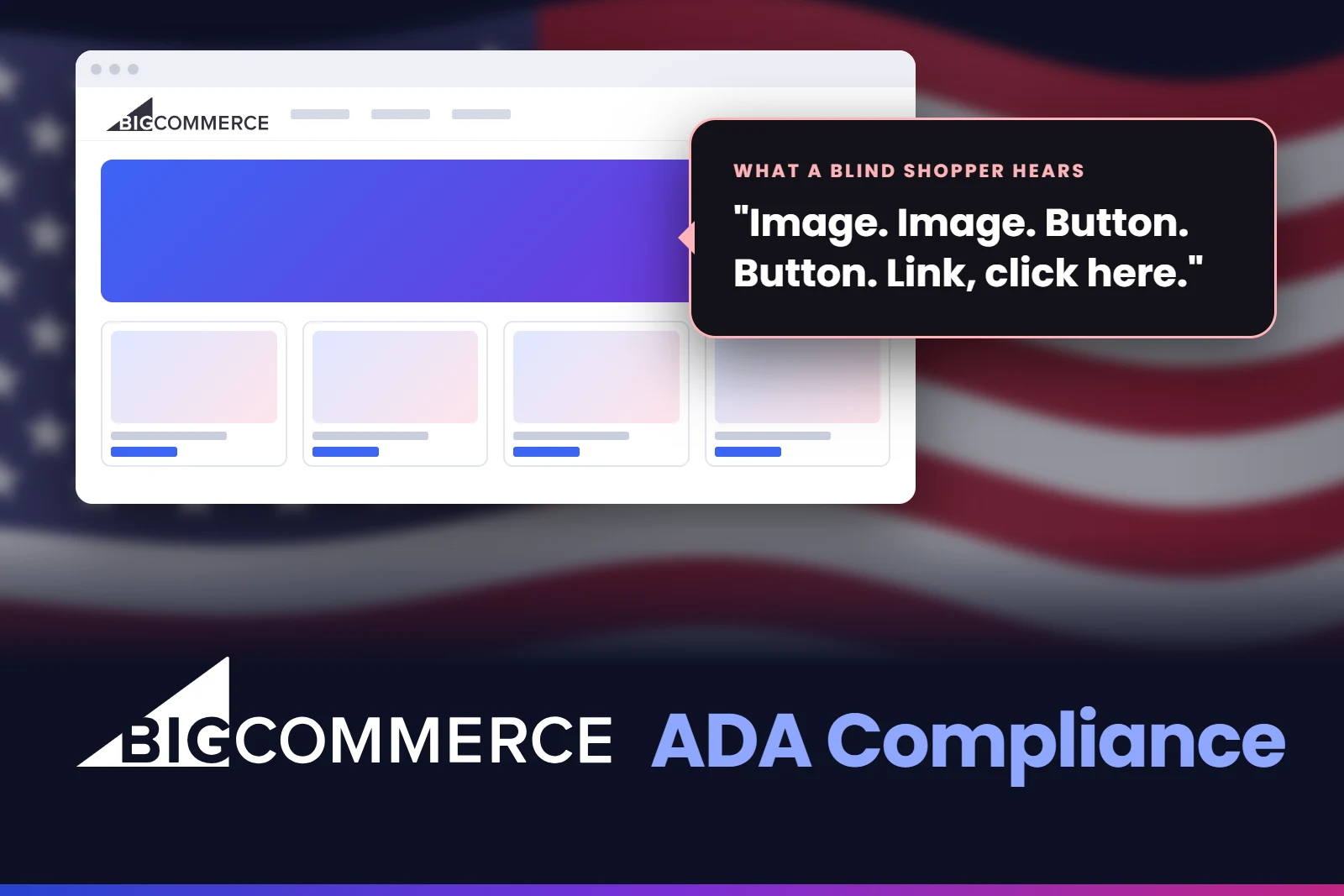
BigCommerce ADA compliance usually becomes urgent on the day a demand letter lands. The store looks polished, sales are steady, and the owner has no idea that a blind shopper cannot choose a size, open a quick view or get past the cart. To them the site works perfectly, because they always test it with a mouse and their own eyes.
We have audited and fixed many online stores for US clients, and BigCommerce stores bring their own set of problems because of their size and their features. You can see some of our completed projects in our web accessibility case studies.
In this guide I explain why BigCommerce stores carry a bigger risk than they look, the seven barriers we find most often, a quick test you can do yourself, and the order we follow to fix a store for good.
On this pageJump to any part of this page9 sections
Why BigCommerce stores carry a bigger risk
Online stores are the main target of ADA website claims. In the first half of 2026, UsableNet reported that around 79% of US digital accessibility lawsuits were filed against ecommerce companies, and the total is on track for a record year. A checkout that a blind shopper cannot finish is the easiest barrier a plaintiff can prove.
BigCommerce adds one more factor: size. It is popular with mid-sized brands, B2B sellers and stores with big catalogues. A store with thousands of products is built from a small number of templates, so one mistake in a product template is not one broken page. It is thousands of them.
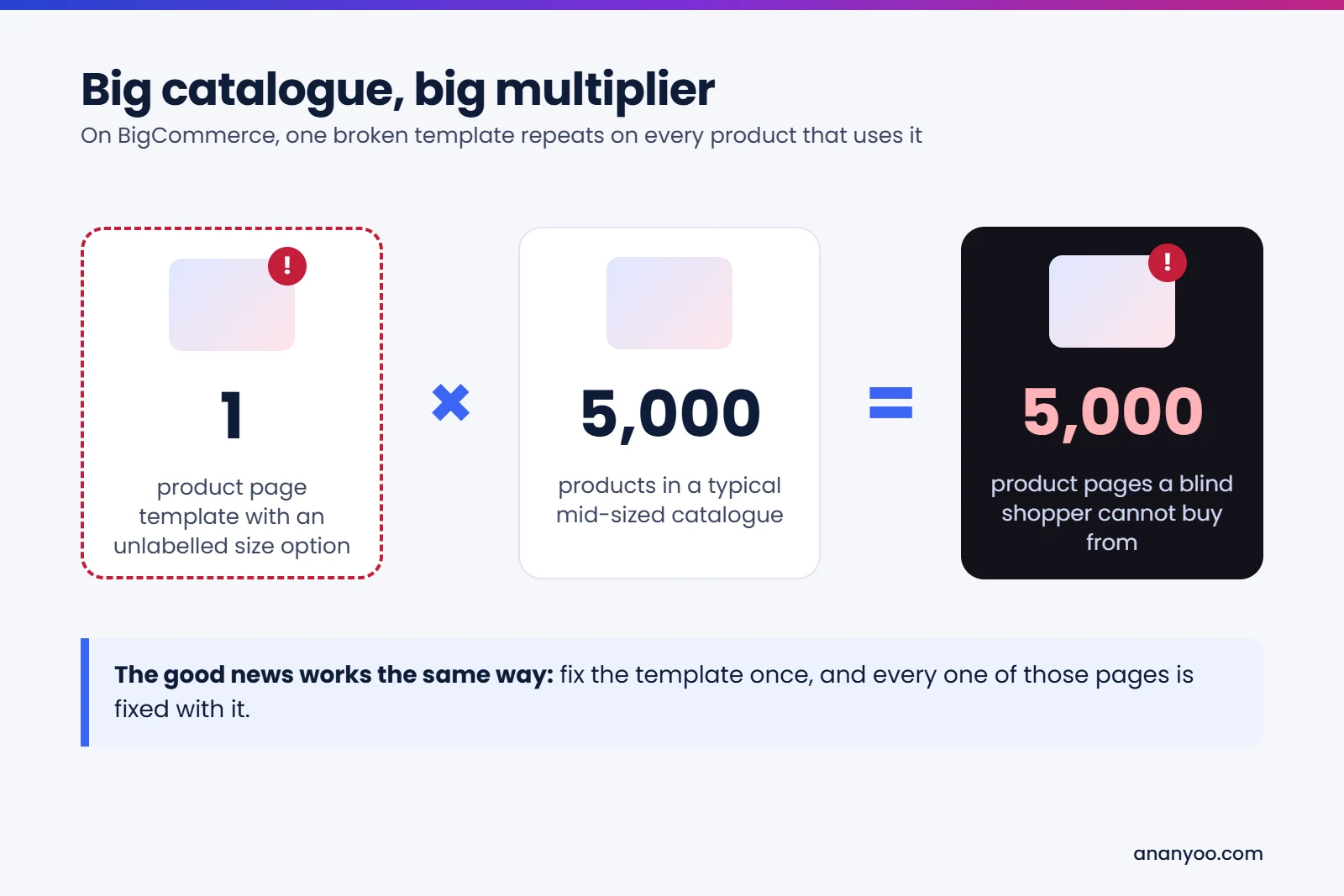
The same logic works in your favour. When you fix the template, every product page that uses it is fixed in one go. That is why BigCommerce ADA compliance is very manageable when it is done at the theme level, and very expensive when it is done one page at a time.
Is BigCommerce ADA compliant out of the box?
BigCommerce gives you a reasonable starting point. Its Stencil themes, including the free Cornerstone theme, come with sensible structure and basic keyboard support, and the hosted checkout is maintained by BigCommerce itself.
But most stores do not run a stock theme. They run a theme that a developer customised years ago, plus Page Builder widgets, plus apps for reviews, chat, upsells, wishlists and search. Every one of those layers can add barriers, and none of them is BigCommerce's responsibility. Under the ADA, the finished store your customers use belongs to you, and so does BigCommerce ADA compliance.
If you also run stores on other platforms, our guides to Shopify ADA compliance and WooCommerce ADA compliance cover the same journey there.
7 BigCommerce barriers that block shoppers
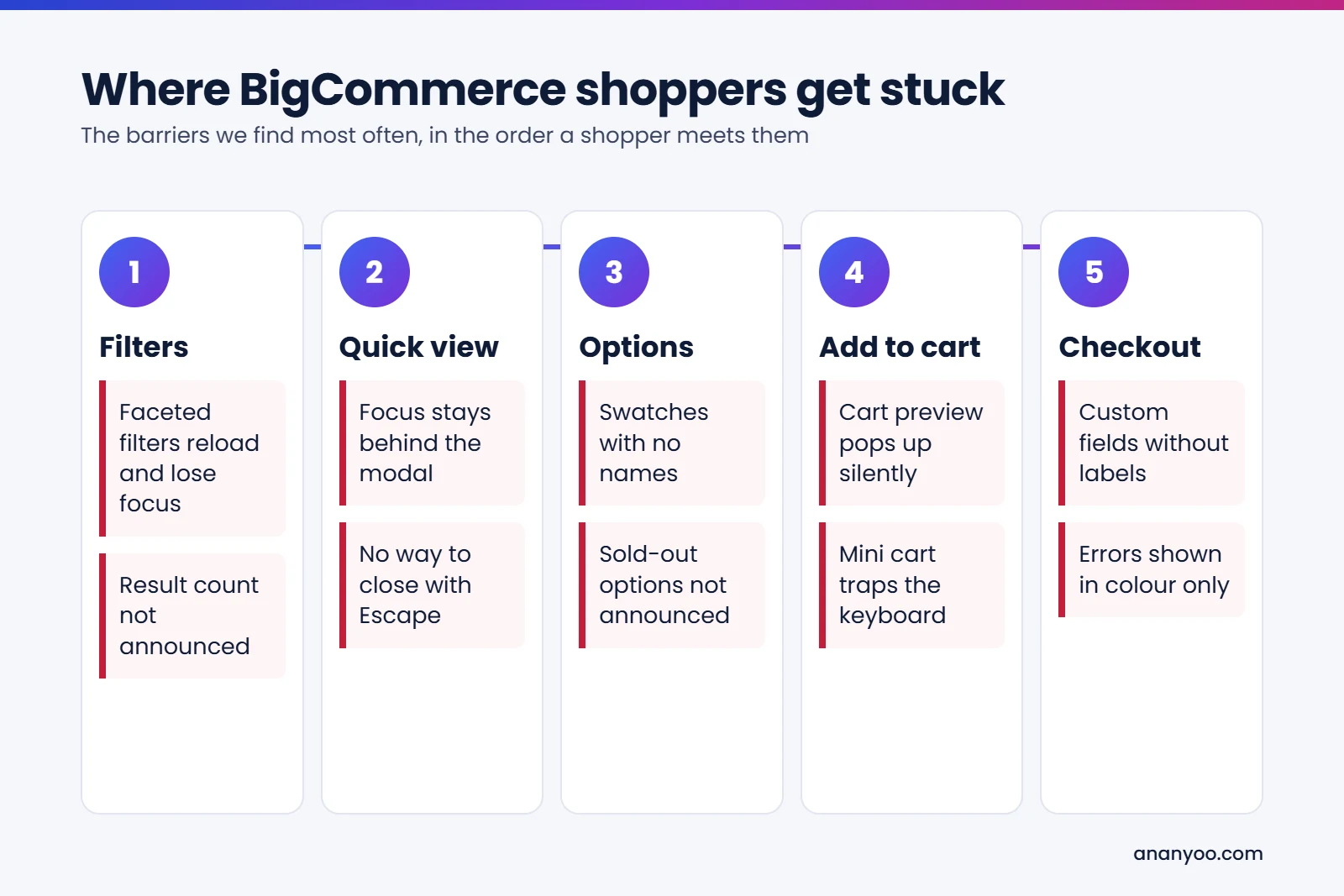
These are the problems we find most often when we audit BigCommerce stores. Almost all of them also appear in demand letters, so fixing them is the core of any BigCommerce ADA compliance project.
1. Faceted search that loses the shopper
Product filtering is one of BigCommerce's strengths, and one of its biggest accessibility traps. On many stores, ticking a filter reloads the product list, keyboard focus jumps back to the top of the page, and nothing tells a screen reader user that the results changed. The fix is to keep focus on the filter the shopper used, and to announce the new number of results. On a large catalogue this single fix often matters more than anything else, because filters are how most shoppers find products at all.
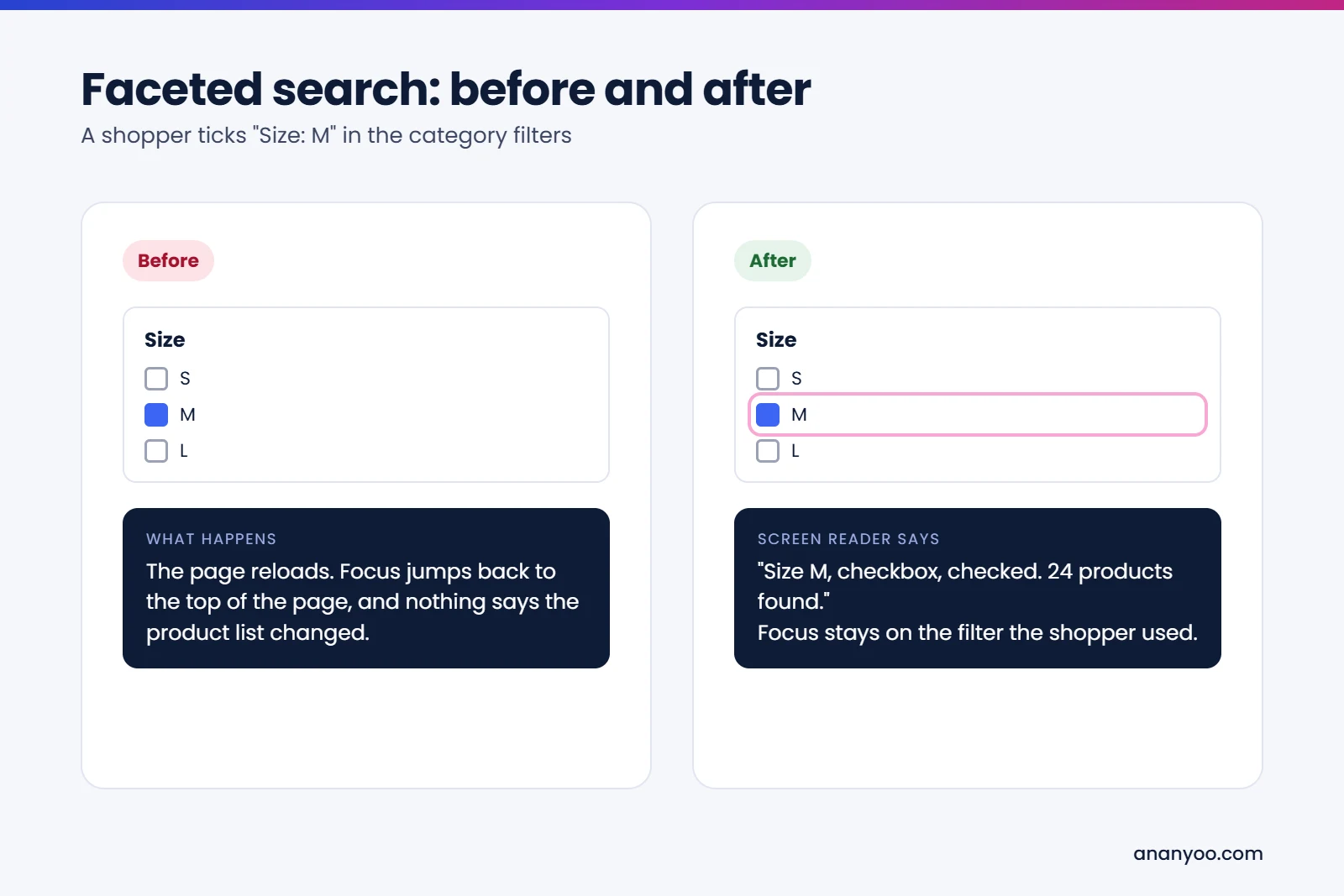
Image description
Faceted search before and after: before, the page reloads and focus jumps to the top with no announcement; after, the screen reader says Size M, checkbox, checked, 24 products found, and focus stays on the filter.
2. Quick view modals that trap or lose focus
Quick view is a popular feature in Stencil themes. When it is not built carefully, focus stays behind the modal, the shopper cannot close it with the Escape key, or the background page can still be reached while the modal is open. A good modal moves focus inside when it opens, keeps it there, closes with Escape, and returns focus to the button that opened it. Quick check: open a quick view with the keyboard, press Escape, and see whether you land back where you started. If not, this is an easy BigCommerce ADA compliance win.
3. Product options with no names
Colour swatches and rectangle lists are often drawn so that a screen reader hears only "button" or nothing at all. Sold-out options are usually greyed out visually, with no text to say they are unavailable. A shopper who cannot tell which option is selected cannot buy. Options should be real form controls with clear names, and sold-out choices should say so in words. Because options live in the product template, this is also the fix that benefits most from the template multiplier described above.
4. Add to cart with a silent preview
Many BigCommerce themes show a cart preview after Add to cart. A sighted shopper sees it slide in. A screen reader user hears nothing, or gets stuck inside it. The fix is a short announcement such as "Linen shirt added to your cart", and a preview that moves focus correctly and can be closed easily. Shoppers who hear nothing often press the button again and end up with two or three items in the cart, which is an annoying surprise at checkout.
5. Mega menus that only work with a mouse
Big catalogues need big navigation, and mega menus are common on BigCommerce stores. If a menu opens only on hover, keyboard users can never reach the categories inside it. For BigCommerce ADA compliance, menu buttons need to open with Enter or Space, announce whether they are expanded, and let users move through the links in a logical order. Test the mobile menu too, because many themes use a separate hamburger menu with its own problems.
6. Page Builder sliders and image-only banners
Page Builder makes it easy to add sliders, carousels and promotional banners. Sliders that move on their own fail WCAG unless they have a pause control, and banners with the offer written inside the image hide the message from screen readers. Use real text over images, add a visible pause button, or replace the slider with one strong static banner. Static banners usually convert better anyway, so this is one BigCommerce ADA compliance change your marketing team will thank you for.
7. Apps and overlay widgets
Review apps, chat widgets, upsell popups and size charts add code from outside developers, and much of it is never tested with a screen reader. Many stores also add an accessibility widget and believe their BigCommerce ADA compliance work is done. The widget does not repair the theme or the apps underneath, as we explain in accessibility overlays: pros and cons explained.
What you can and cannot change in checkout
BigCommerce hosts the checkout, so you cannot rewrite every part of it the way you can with your theme. That is good news, because BigCommerce maintains the core form. But stores still add things that break it: custom checkout fields with no labels, gift message boxes, delivery date pickers, extra scripts for upsells, and payment methods from outside providers.
For BigCommerce ADA compliance, treat the checkout as shared ground. Test every custom field you added, check that error messages are written in words and announced, and test each payment method with a keyboard and a screen reader. If a payment provider fails, report it and offer a second payment option that works. Keep a dated note of what you tested, because that record shows good faith if a complaint ever arrives.
Test your BigCommerce store in 15 minutes
You can find the biggest BigCommerce ADA compliance gaps yourself before calling anyone. Try these four checks today:
- Keyboard purchase: put your mouse away and, using only Tab, Shift+Tab, Enter, Space and the arrow keys, filter a category, open a quick view, choose an option and add the product to the cart.
- Watch the focus: during that test, can you always see where you are? Note every place where the focus ring disappears.
- Listen to one product page: turn on NVDA on Windows or VoiceOver on a Mac or iPhone, and listen to your best-selling product. Do the options have names?
- Break the checkout: leave a required field empty and submit. Is the error explained in words, or only shown in red?
If two or more of these fail, a full audit will almost certainly find more. That is normal, and every one of those BigCommerce ADA compliance problems is fixable.
How to make your BigCommerce store ADA compliant
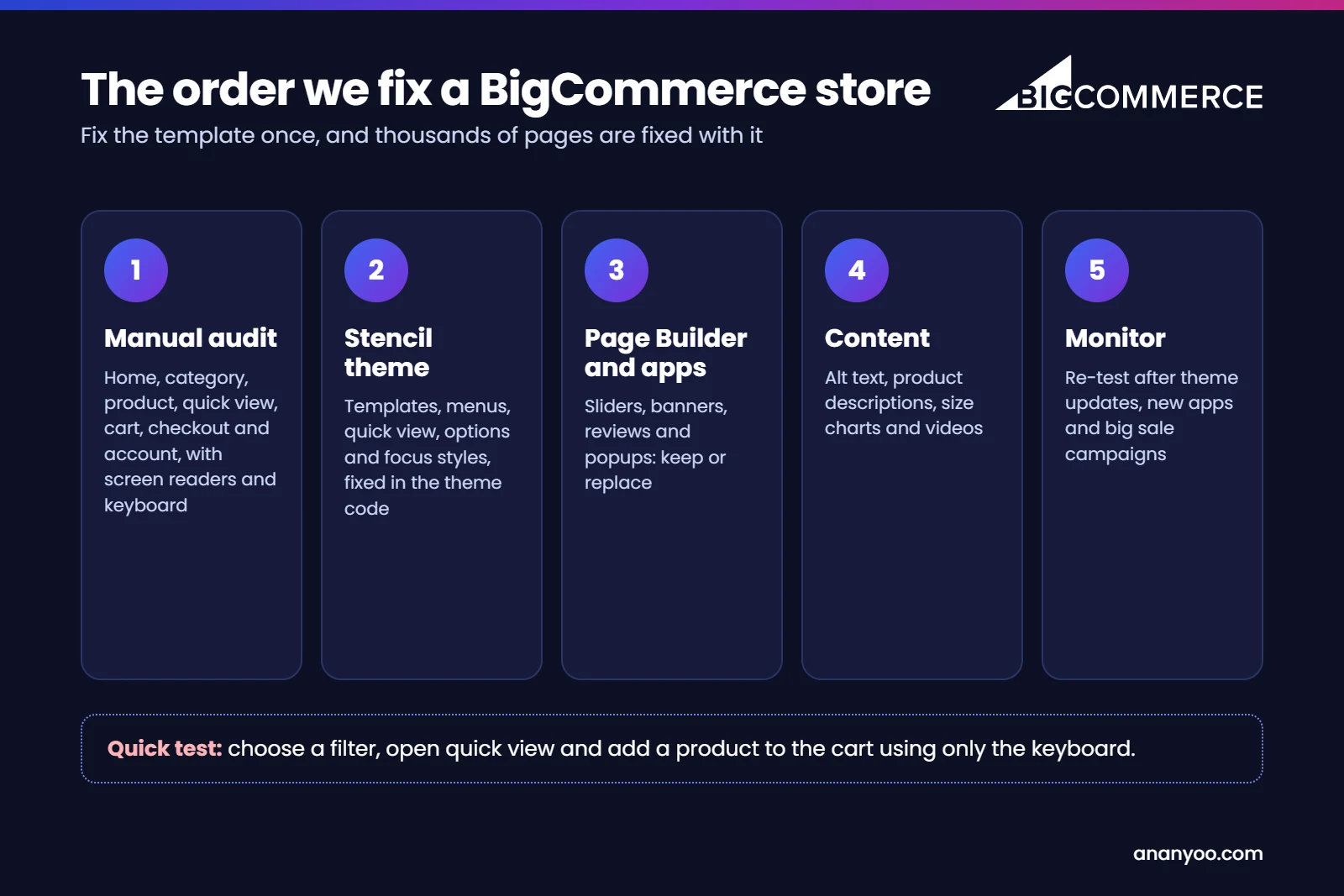
Real BigCommerce ADA compliance is a short project followed by regular care. This is the order we follow with our clients:
- Manual audit first: home, category, product, quick view, cart, checkout and account pages, tested with screen readers and a keyboard against WCAG 2.2 Level AA.
- Fix the Stencil theme: templates, menus, quick view, product options and focus styles, so one fix covers thousands of pages.
- Review Page Builder content and apps: keep what passes keyboard testing, replace the rest.
- Clean up content: alt text, product descriptions with real headings, size charts as text, and captioned videos.
- Publish an accessibility statement with a working email address.
- Monitor: re-test after theme updates, new apps and every big sale campaign.
A real example: our accessible BigCommerce theme
It is one thing to describe these fixes and another to ship them. So we built our own Ananyoo BigCommerce Accessibility and ADA Compliance Theme, a ready BigCommerce theme made to meet WCAG 2.2 AA in the code itself, not with an overlay on top. Every store we build on it is tested by hand with JAWS, NVDA, VoiceOver and TalkBack before launch.
It was designed around the same seven barriers, so most BigCommerce ADA compliance problems are solved before you add your first product:
- Faceted search keeps focus in place and announces the number of results.
- Quick view and cart previews move focus correctly and close with Escape.
- Product options are real controls that announce the selected and sold-out choices.
- Menus open with the keyboard and tell screen readers when they are expanded.
- Colours, buttons and focus rings pass WCAG 2.2 AA contrast.
- No accessibility widget is needed, because the barriers are fixed at the source.
You can see our other platform themes on our accessible themes page.
How Ananyoo can help
I am Shivaji Mitra, a DHS Trusted Tester, working in web development and accessibility since 2003, and our audit team is IAAP certified. For BigCommerce ADA compliance, we audit your store by hand, fix the Stencil theme, apps and content in the code, and give you a clear report you can keep for your records or share with your attorney. If a letter has already arrived, start with our guide on what to do after an ADA demand letter.
Read more about our website accessibility audit, accessibility remediation and monitoring and maintenance services. If you are planning a new store or a redesign, take a look at our accessible BigCommerce theme first, then send us your store address through our contact page. You will get a written reply within one working day.
Frequently asked questions
Is BigCommerce ADA compliance the store owner's responsibility?
Yes. BigCommerce maintains its platform and hosted checkout, but your theme, apps and content are your responsibility under the ADA.
Is the Cornerstone theme accessible?
It is a reasonable base for BigCommerce ADA compliance, but most stores customise it heavily and add apps, so the finished store always needs testing.
Can I fix accessibility one product at a time?
You can, but it is slow and expensive. Fixing the product template fixes every product that uses it, which is much faster.
How long does BigCommerce ADA compliance take?
For most small and mid-sized stores, a proper audit and fix takes a few weeks, depending on the number of templates, apps and Page Builder layouts.
